> ## Documentation Index
> Fetch the complete documentation index at: https://lovable.generaltranslation.app/llms.txt
> Use this file to discover all available pages before exploring further.
# Getting started
> From first prompt to full-stack app
## Overview of Lovable
Welcome to this step-by-step guide on how to create a full-stack application using Lovable:
### The Lovable platform overview
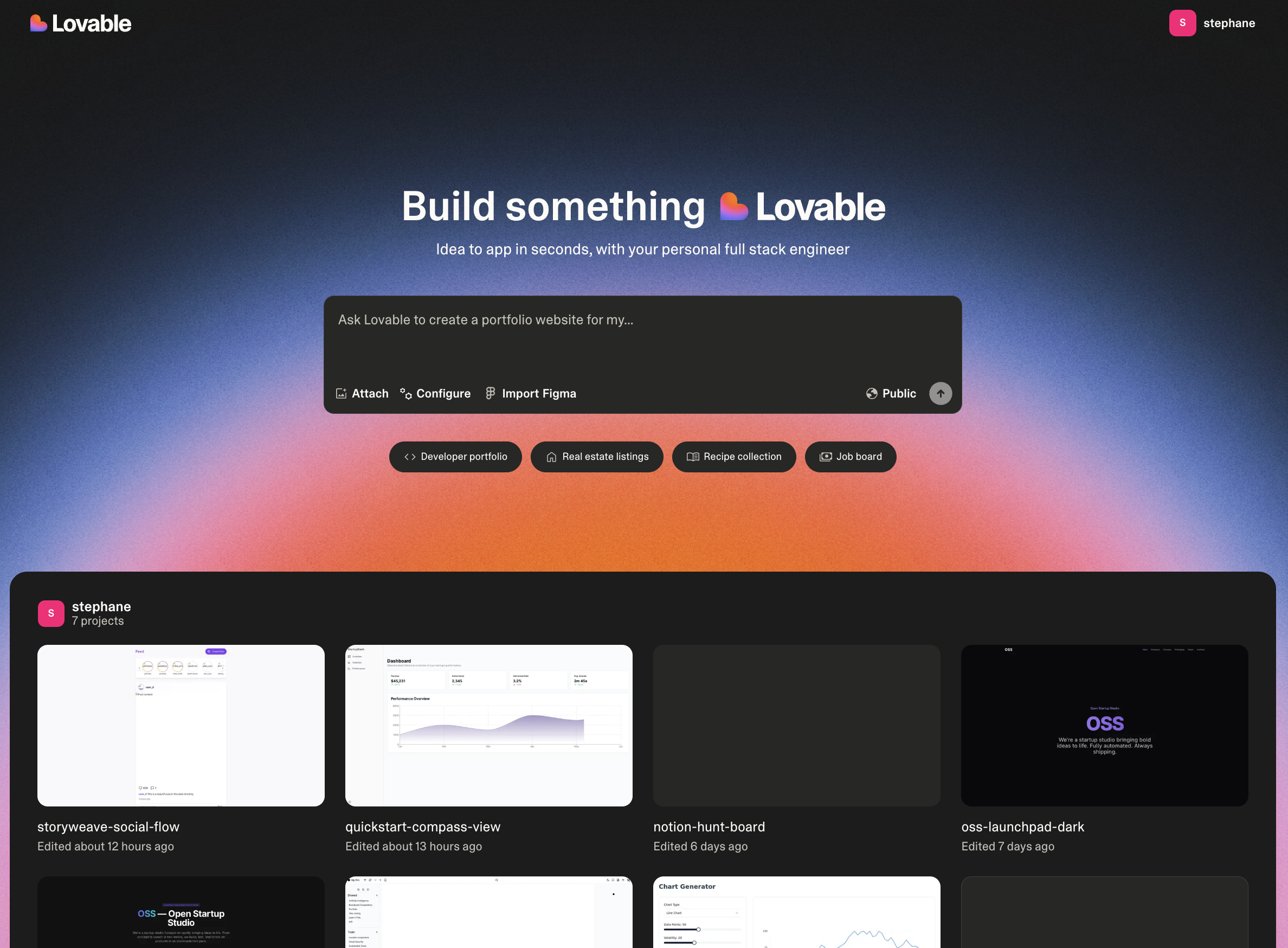
To get started, head over to [lovable.dev](https://lovable.dev) and create an account. Once registered, you'll be able to create your first project.
Simply enter an initial prompt to kick things off, and Lovable will do the rest! This is the **starting block** for any project in Lovable, where you can bring your ideas to life instantly.
At Lovable, simplicity is key:
* [**Here**](https://lovable.dev/) **you kickstart your project** with a single prompt.
* **Explore all projects**, including the latest and featured ones.
* **Jumpstart with a template** from our curated selection.
* **Personalize your experience** by viewing and editing your profile.
* [**Manage your account**](https://lovable.dev/settings) to check monthly credits and adjust settings.
* **Experiment with** [**Labs**](https://lovable.dev/settings/account) **features** like Chat mode—toggle them on or off.
* [**Upgrade or downgrade**](https://lovable.dev/settings/plans) **your plan** seamlessly.
At Lovable, every project follows a structured workflow:
* **Edit with ease** using a chat-based interface.
* **Attach images** for precision edits and inspiration.
* **Select and visually edit components** for a seamless design experience.
* **Switch effortlessly** between edit mode and chat mode.
* **Track changes** with version history and revert to any previous version.
* **Navigate through pages** of your project with ease.
* **Enable remixing** or rename your project as needed.
* **Use Lovable Cloud** (or integrate with Supabase) for backend capabilities.
* **Collaborate via GitHub** to edit and manage your code.
* **Publish, deploy, and share** your project with a preview link (remember to re-publish after changes).
* **Toggle between web and mobile view** for responsive design.
* **Refresh the preview modal** to see updates instantly.
* **Open your project directly** using the preview link.
Every project’s settings empower you to:
* **View key project details** like total edits and creation date.
* **Set up custom knowledge** to tailor your project’s context.
* **Connect to a GitHub repository** for seamless collaboration.
* **Adjust project visibility** as needed.
* **Manage the badge display** (available for paid plans only).
* **Rename your project** anytime.
* **Delete your project** (⚠️ Danger Zone).
You can always quickly access:
* **Dashboard** for an overview of your projects.
* **Account settings** to manage your profile and preferences.
* **Documentation and Support** for guidance and assistance.
* **Log out** securely from your Lovable account.
### Start your project
There are several ways to get started with Lovable, depending on your preferences and resources:
Lovable’s prompt-based system makes app creation simple.
* Just describe what you want to build in the prompt box.
* The more specific you are, the better the results.
* Start with clear and detailed prompts.
* You can refine and adjust your project as you go.
Example:
*"Create a dashboard with user login, monthly sales in a line chart, and customer demographics in a pie chart."*
You can remix an existing public project or one of your own. Remixing allows you to reuse the current state of a project as a starting point and build upon it. It’s a great way to explore new ideas, make adjustments, or iterate with different changes while preserving the original version.
You can only remix public projects from other users if the project is not connected to Supabase.
If you have a design in Figma, take a screenshot of any part of it. You can paste the screenshot directly into Lovable or drag-and-drop the image file. Once you press Enter, Lovable will convert your design into functional code.
Use [**Excalidraw**](https://excalidraw.com/) or any similar tool to sketch your UI.
Take a screenshot of your drawing, then paste or drag-and-drop it into Lovable. The platform will transform your sketch into working code.
[More information here.](https://www.youtube.com/watch?v=c0zhLzcVJRI)
If you want to replicate an existing webpage:
Take a screenshot using shortcuts like *Cmd+Shift+4* on Mac or tools like the [GoFullPage Chrome Extension](https://chromewebstore.google.com/detail/gofullpage-full-page-scre/fdpohaocaechififmbbbbbknoalclacl).
Paste or drag the screenshot into Lovable. Lovable will recreate the structure of the webpage in your project.
[More information here.](https://www.youtube.com/watch?v=tYDqBMilHkM)
### Edit your project
The [Custom knowledge](/features/knowledge) in Lovable acts as your project's **blueprint**, organizing functionality, design, and goals in one place.
Visual Edits allows you to select elements on the page and either edit them instantly, such as updating text or colors, or use prompts to adjust functionality and layout.
See [Visual Edits](https://docs.lovable.dev/features/visual-edit) for more information.
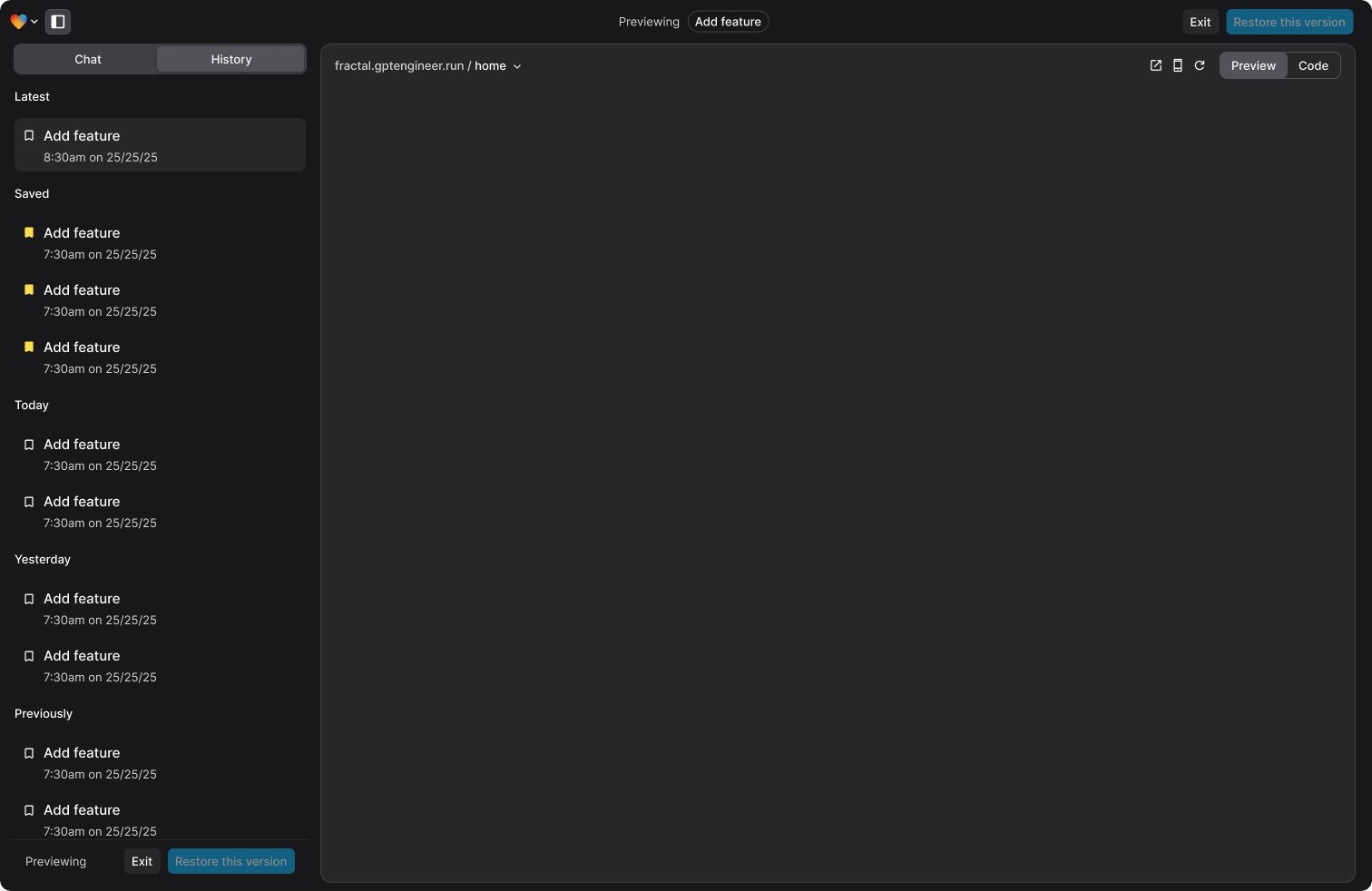
Speed matters when building AI-driven apps, but so do stability and control. That’s why we’ve upgraded versioning to make tracking changes effortless.
You can preview an older working version and then revert to that version if needed, or edit a past message and revert to explore a different approach. Nothing gets lost — all changes made after that point stay in the chat and can be reapplied anytime any.
Keep your work organized by bookmarking important edits, making it easy to find and revisit them later.
The history panel now works like Google Docs, making tracking changes easier.
Attach images directly to the chat to add context to your prompts. This makes it easier to illustrate ideas or concepts that are better shown than described.
Integrate your project with GitHub to iterate on your application seamlessly. You can make code changes in GitHub or your preferred IDE while keeping everything in sync with Lovable.
See [GitHub integration](https://docs.lovable.dev/integrations/git-integration) for more information.
### Add fullstack capabilities to your project
If you need to add backend capabilities to your application, you can:
* Connect to Lovable's built-in backend - [Lovable Cloud](https://docs.lovable.dev/features/cloud)
* Use Lovable's native [Supabase integration](https://docs.lovable.dev/integrations/supabase)
There are many ways to connect Stripe to Lovable, but the most straight-forward way is to utilize Stripe's built in payment links. See [Stripe integration](https://docs.lovable.dev/integrations/stripe) for more information.
See [Resend integration](https://docs.lovable.dev/integrations/resend) for more information.
### Deploy and publish your project
Ensure the best results by following our [Implement SEO and GEO best practices](https://docs.lovable.dev/tips-tricks/seo-geo) guide.
You can add a custom domain using:
* Entri (native to Lovable)
* Netlify
* Vercel
* Namecheap
See [Custom domain](https://docs.lovable.dev/features/custom-domain) for more information.
When your project is ready, publish it to generate a shareable URL. This makes it easy to showcase your application or share it with collaborators and stakeholders.
See [Publish](https://docs.lovable.dev/features/publish) for more information.

 ### The Lovable platform overview